



Precast Software for Design,
Production & Project Management

Precast Software for Design, Production & Project Management
Precast Stack Planning
Precast stack planning for both the stock yard and transport is an action that requires experience, precision, and is often quite time consuming. Tight controls on the logistics for precast elements is crucial to optimise the stock yard, reduce crane, forklift and vehicle movements.
The difficulty for stock yard and transport planners is understanding the precast elements erection sequence on the construction site. Further compounded by considering in turn both the transport loading sequence and stack loading sequence in order to limit the number of times a precast element is handled.
Optimal precast stack planning also gives consideration at the beginning of the process all the way back to the moulds or beds casting sequence.
Automatic Precast Stack Planning in full 3D
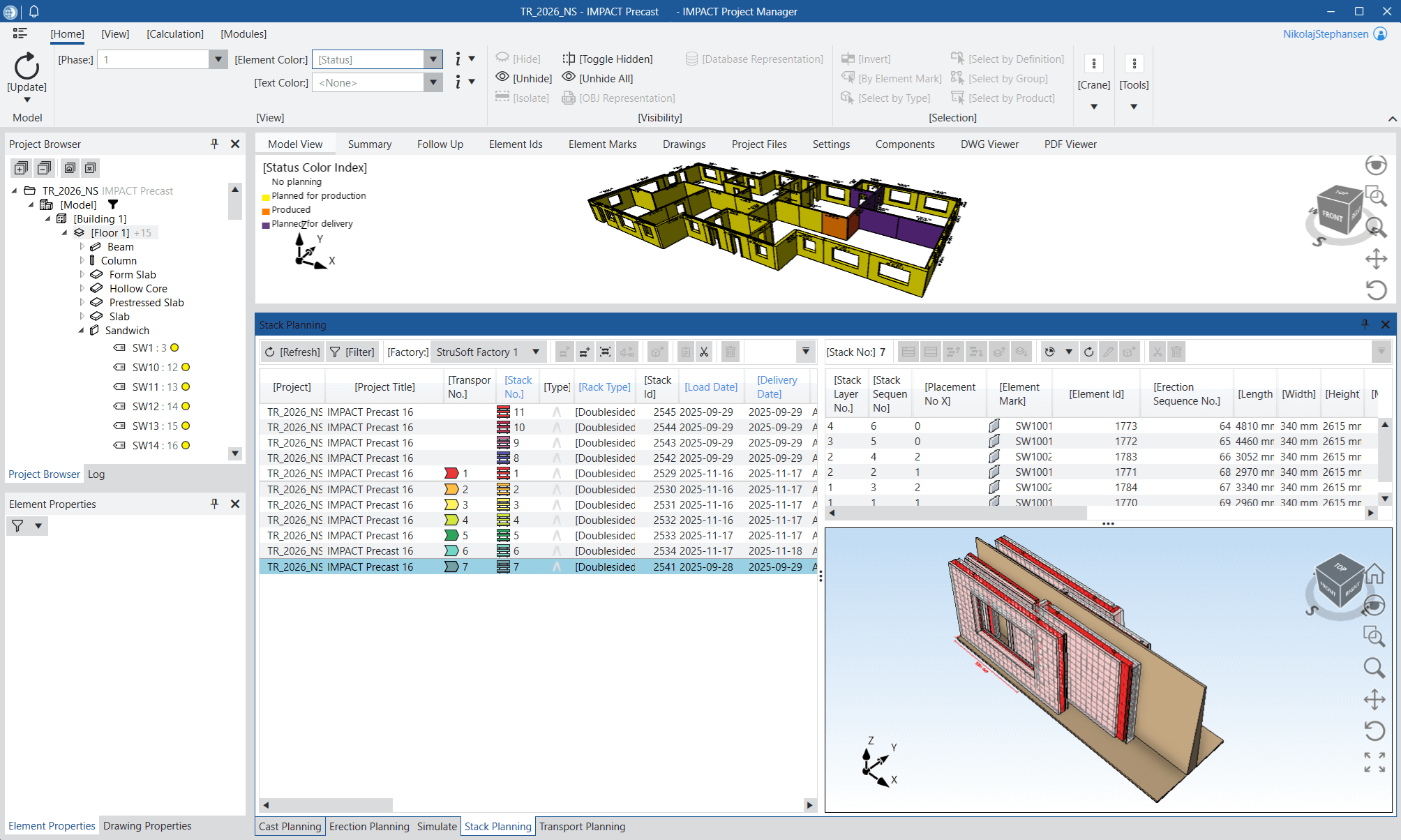
The IMPACT Precast Stack Planning module helps you overcome these difficulties and not only gives you visibility and connects all the processes but also automatically creates your stacks, depending on how you define them in the system.
Plan your stacks of precast concrete elements in full 3D with the IMPACT Project Manager. The software is very simple to use and you don’t require any 3D modelling skills or prior knowledge of modelling software.
Watch a Webinar about Precast Stack (& Transport) Planning
Precast Stack Planning for plan any type of stack for any type of precast element.
Once you prepare detailed Stacks of elements with IMPACT it will save you huge amount of times by optimising your handling and bringing logistical controls.
The IMPACT Stack Module has the ability to help you plan any type of stack for any type of precast element. You can set up custom stack templates to suit your exact set up with options on vertical, horizontal, “L” and “A” frame stacks.
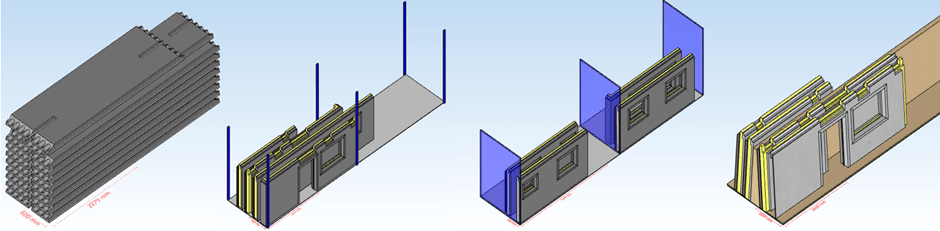
Stack Colour Coding makes it very easy to plan to the erection sequence in full 3D
Stack your elements according to your erection sequence and make sure that will be easily loaded, unloaded, or erected directly from the stack. As well as the Unique Element ID in IMPACT, you can also set up additional IDs for the erection sequence and stack sequence to make it very easy for the people doing the loading and handling to follow.
Why wait? Click to apply for a Free Trial of IMPACT and get started today!
IMPACT Docs
Find detailed documentation and guides for the IMPACT precast software on the IMPACT Docs. Access is available for users with a login.
Request a Trial
Want to try IMPACT precast? Apply for a trial and get your login here. This gives you full access to the Docs and all software features during your trial period.
IMPACT Blog

Introducing IMPACT Precast Pal: AI That Actually Helps
At our User Conference last November, we unveiled an exciting leap forward for precast engineering: IMPACT Precast Pal. Today, we’re thrilled to share more details […]
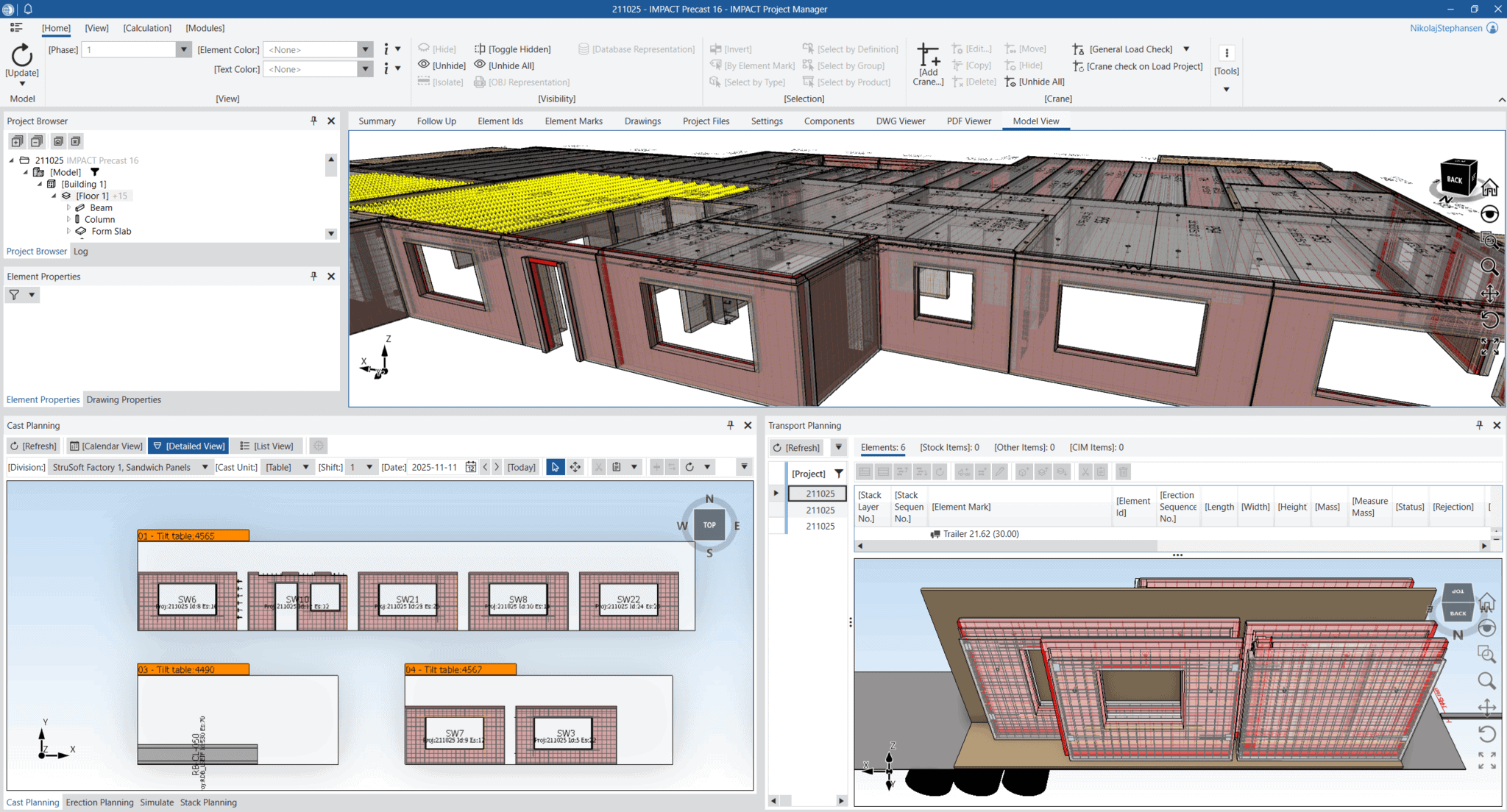
OBJ Representation: Bringing Your Precast Designs to Life in IMPACT
OBJ Representation – A New Way to View Your Precast Models in IMPACT
Clearer. Smarter. More connected 3D visualization of […]
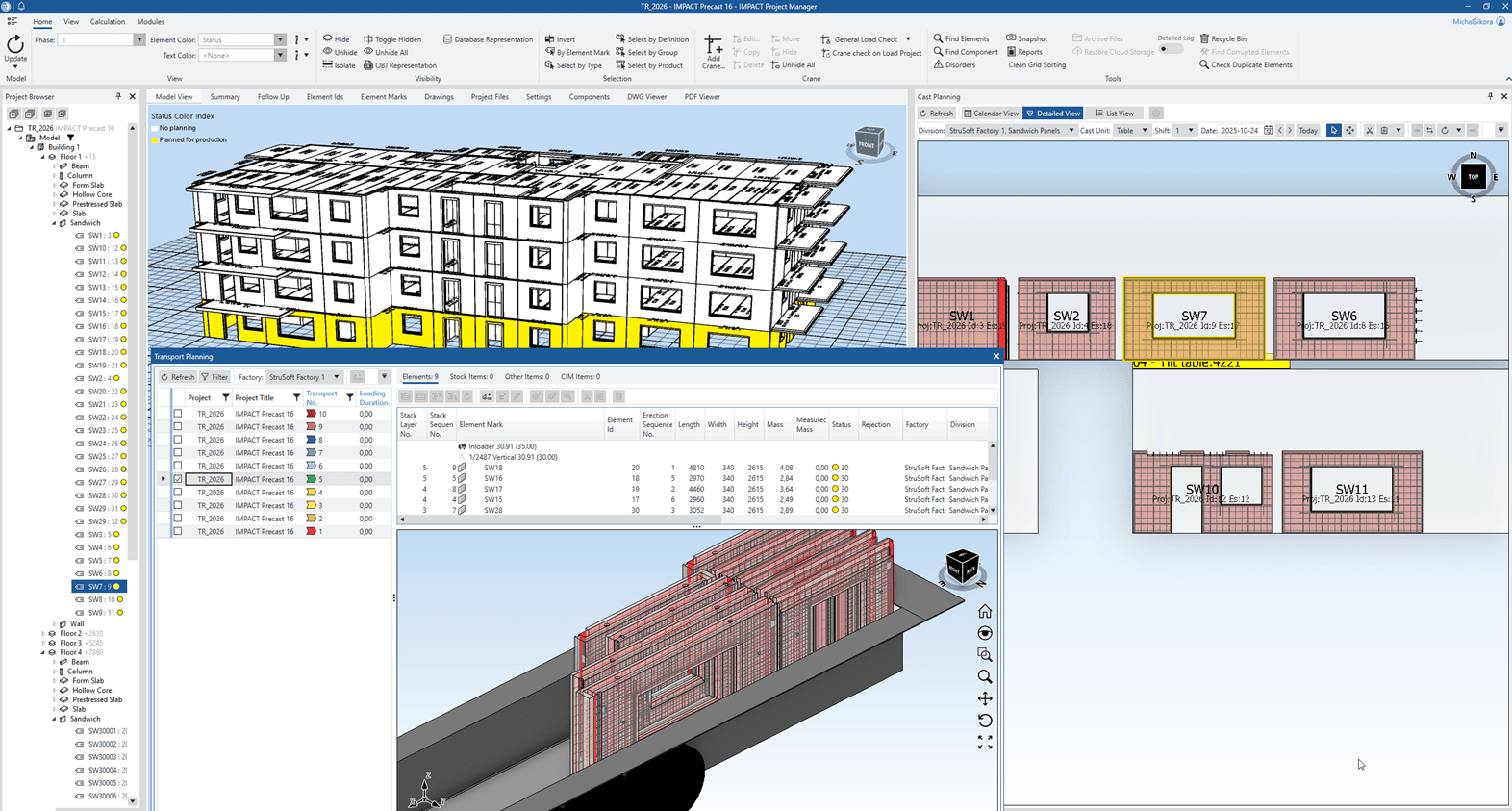
See What’s New in IMPACT Production – Autumn 2025 Presentation Recap
On October 21, 2025, we hosted the IMPACT Production update 2025 Autumn presentation, showcasing the newest features designed to make

Bio: Nikolaj is Director Of Sales & Marketing for StruSoft´s Precast Business Unit. He has an MSc in Building Informatics, direct experience working for precast factories ...show more as well now being with StruSoft more than a decade. He is well equipped to answer any enquiry you might have about our IMPACT Precast Software. show less

Bio: Michał Sikora is the main point of contact for IMPACT customers in Poland. He is responsible for implementation, training and the optimization of IMPACT for ...show more customers. Michal has an MSc in Structural Engineering and an extensive experience in designing and detailing concrete structures. If you are based in Poland and want to find out how to get started and best utilize IMPACT, feel free to reach out to Michal. show less

Bio: Thomas Gitsas works closely new international IMPACT customers. He is responsible for implementation, training and the optimisation of the precast processes to be digitalised within ...show more IMPACT. Thomas has 2 x MSc's in structural engineering and civil planning. Thomas joined StruSoft in 2017 and has a wealth of experience with precast factories in Europe, UK, Middle East and Oceania. Please feel free to contact Thomas if you would like to find out more about to get started with IMPACT. show less

Bio: Jaap is passionate about processes in the precast concrete industry. Over 25 years of experience in managing/directing precast production processes. Graduated from the Technical College, ...show more Ing. BSc., majoring in Computer and Business Administration. Be glad to be at your service to help you to improve your precast processes. show less

Bio: Linus works with implementations of all applications in the IMPACT system. He is also a specialist and interim Product Owner for IMPACT Revit. He has ...show more a B.Sc. in Civil Engineering, several years of experience in technical implementations. Please feel free to contact Linus if you have any questions of how to best utilise your IMPACT software. show less

Bio: Peter Karlsson is the Director and main person responsible for StruSoft's Precast Business Unit. He has been with StruSoft since 1999 and has many years' ...show more of experience helping new customers starting up and also supporting existing customers to get the most from the IMPACT precast software. Peter is mainly focused on customer relationships and sales in the Swedish market. He is also a member of StruSoft's Senior Management Team. show less

Bio: Suhas is the Managing Director of StruEngineers India, a Design & Detailing Service company 100% owned by StruSoft. Suhas has a BSc in Civil Engineering ...show more and has been providing design support services to the Precast Industry, worldwide, over the last 20 years. Suhas was one of the original founders of StruEngineers which was established 10 years ago and previously worked for Neilsoft in Pune. StruEngineers provides local support in India for all StruSoft software and Suhas is a specialist with IMPACT AutoCAD. If you are based in India and looking for more information or support please feel free to get in touch directly with Suhas. show less