FEM-Design 25 is now available, delivering practical improvements that support faster workflows and more reliable results. The new 7DoF warping bar enables more realistic torsional behaviour and stability evaluation for beams and columns, while enhanced IFC 4.3 interoperability and expanded import/export workflows improve coordination in BIM-based projects. In addition, reinforced concrete shell design has been accelerated, helping large and complex models run more smoothly.

FEM-Design 25 also includes a wide range of quality-of-life enhancements across modelling, results, and documentation. Improvements such as better buckling length management, clearer result visualisation, and user profiles for tailored FE modelling environments make everyday work more efficient and consistent.

NEW DEVELOPMENTS

FEM-Design 24

Get More Realistic Behaviour for Steel Beams and Columns
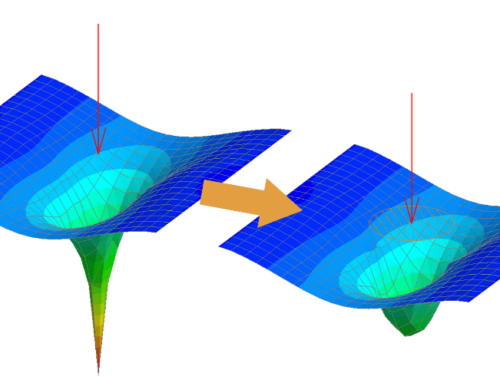
One of the new developments in FEM‑Design 25 is the 7 DoF warping bar, available for beams and columns for all steel license holders. Built on the Modified Kollbrunner theory, the new General 7 DoF is closer to reality compared to traditional warping models. The new General theory can apply warping to all sections, not just the open thin-walled section.

FEM-Design 24

Boost Workflow Efficiency through Extended IFC Interoperability
FEM‑Design 25 enhances OPEN BIM workflows with IFC 4.3 support (importing structural elements from both building and infrastructure models), enables converting IFC reference solids into editable drawing solids, and introduces IFC model merging for easier handling of multiple discipline or updated IFC files in one project.

FEM-Design 24

Get Faster RC Design and Smoother Performance on Large Models
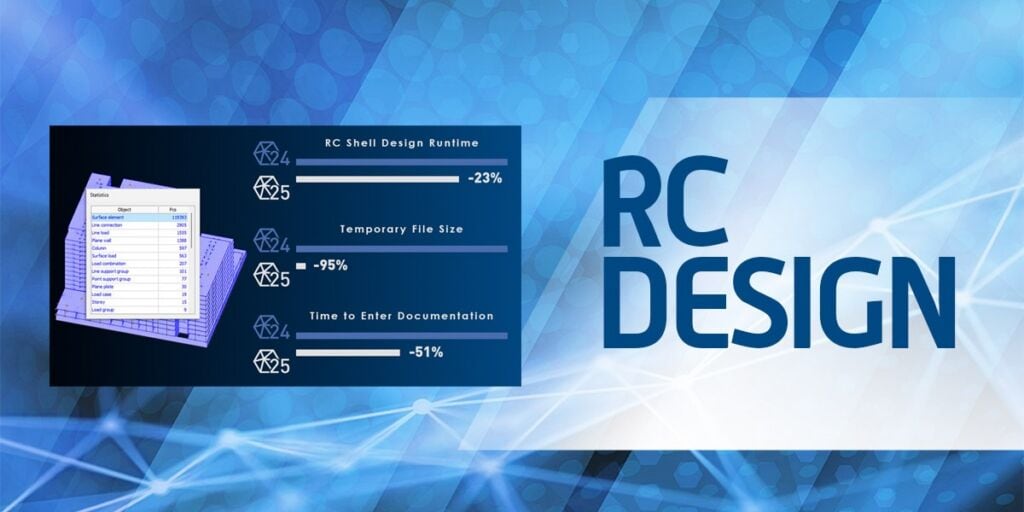
FEM-Design 25 delivers significantly faster RC design and improved handling of large, complex models, with design calculations accelerated by over 20% and much faster transitions between workflows. While performance depends on hardware and model complexity, FEM‑Design is built to scale efficiently for demanding real‑world projects.

Experience FEM-Design 25 firsthand with a free, non-binding new features demo. Book your exclusive demo with one of our consultants.

7 DoF Warping Bar Model

Get More Realistic Behaviour for Steel Beams and Columns

FEM-Design 25 introduces the new General 7DoF warping bar, delivering significantly more realistic torsional behaviour and stability analysis for steel beams and columns. Based on the Modified Kollbrunner theory, it overcomes the limitations of traditional 6DoF and earlier 7DoF models by accurately capturing restrained warping and instability effects for any cross-section type.

  • Warping analysis for all cross-sections, not only thin-walled open sections
  • More realistic torsion and stability modelling based on the Modified Kollbrunner–Timoshenko approach
  • Accurate representation of torsional warping and instability modes such as lateral–torsional buckling
  • Consistent analysis for multiple materials, including steel, concrete, timber, and aluminium
  • Available for beams and columns for all steel licence holders

IFC Interoperability

Boost Workflow Efficiency through Extended IFC Interoperability

FEM-Design 25 expands IFC capabilities with full IFC 4.3 support, new import options, terrain-to-soil conversion, and flexible multi-model merging. These improvements strengthen OPEN BIM collaboration across structural, architectural, infrastructure, MEP, and detailing workflows.

  • Full IFC 4.3 support, enabling the import of structural elements from buildings, roads, railways, waterways, and bridges — either as editable analytical elements or as reference objects.
  • IfcPile import, allowing piles to be converted into Columns, Beams, or Reference objects depending on their intended analytical role.
  • Terrain geometry import, where IfcSite and IfcGeographicElement surfaces or solids can be brought in as reference objects and transformed into Soil elements via the soil converter. This also applies to connected regions and solid objects drawn directly in FEM-Design.
  • Multi-model merging, supporting workflows such as importing models by discipline or inserting repetitive structural units.
  • Expanded export options, including IFC export of the analysis Soil model as geometry assigned to IfcSite and exporting selected model parts according to a User Coordinate System (UCS).

RC Design Performance

Get Faster RC Design and Smoother Performance on Large Models

FEM-Design 25 introduces major performance improvements for reinforced concrete design, especially in large and complex projects. Reinforced concrete shell calculations run more than 20% faster, and workflow transitions – including switching to Documentation mode – are now significantly quicker.

Although performance always depends on hardware capacity and modelling complexity, FEM-Design is developed to scale reliably for demanding real-world projects.

  • Reinforced concrete shell design calculations have been accelerated by more than 20%.
  • Switching to Documentation mode after design is now up to 50% faster compared to FEM-Design 24.
  • These benefits come from a substantial reduction in temporary file sizes, enabling faster model loading, smoother transitions, and a more responsive experience when working with large RC models.

Improvements and Quality-of-Life Features

User Interface, General Design, Results & Documentation

Get More Efficient Workflows, Clearer Results, and Better UI

FEM-Design 25 includes a wide range of enhancements across modelling, results, documentation, and the overall user experience. From a more customisable workspace to refined stability handling and clearer post-processing tools, the new version supports faster and more intuitive everyday workflows.

  • Enhanced buckling length management, with direction-dependent restraints and preserved buckling settings when modifying member geometry.
  • Customisable user profiles allow users to streamline the interface by focusing only on the tools relevant to their typical workflows.
  • New result visualisation and post-processing options, providing clearer interpretation of analysis results and improved documentation quality, even for complex 3D models.

Extended Parametric Model Module

FEM-Design 25 extends the Parametric Model module with new automation, constraint, and modelling capabilities, enabling faster creation, editing, and reuse of parameterised structural templates in 3D Structure projects.

  • Autogrid automation detects repetitive structural patterns and generates parameterised grid systems with associated dimensions and spacing parameters. Automatically generated grids can then be refined using new grid management tools.
  • Parameterisable regions and bodies now include non-structural Solid and Region objects, including those created through combined solid and region modelling operations.
  • Parameterised Solid templates are available in 3D Structure projects when defining isolated foundation geometry via the new Parametric shape option.
  • Parameterised Region templates can be used when creating new bar cross-sections in 3D Structure projects.
  • New Radius constraint added as an additional geometric parameter for parameterised structures, solids, and regions.
  • The improved Input Wizard provides access to all parameterised models, solids, and regions, and now features a refreshed interface with enhanced selection tools and support for organising templates into custom folders.

Experience FEM-Design 25 firsthand with a free, non-binding new features demo.
Book your exclusive demo with one of our consultants.

YOUR FEM-DESIGN 25 RESOURCES

 FEM-Design 25 upcoming webinars

Browse the list of upcoming webinars about the new FEM-Design version. We hope to see you online with us!

Resources related to FEM-Design 25

Discover the latest FEM‑Design updates by watching the available webinar recordings on our YouTube channel.

What’s new in version 25?

Want a deeper dive? Check out the dedicated page for full details on all the new features in FEM Design 25.

KEY BENEFITS OF FEM-DESIGN 25

More Realistic Behaviour for Steel Beams and Columns:

FEM Design 25 introduces the brand-new 7 DoF warping bar for highly accurate torsion and stability modelling across any section shape and material.

Efficient & Easier Handling of Large Concrete Structures:

Faster RC design & performance on large models due to accelerated calculations, reduced temporary file size, and much faster transition between workflows.

Enhanced OPEN BIM Workflows:

Take advantage of the new IFC 4.3 support and expanded export options to boost OPEN BIM workflow efficiency and ensure smooth data sharing.

Faster, Smarter, and More Customisable Experience:

Get a more streamlined, customisable, and visually intuitive FEM Design experience that boosts modeling efficiency and analysis clarity across complex 3D projects.

AS A USER OF FEM-DESIGN, YOU ARE IN GOOD COMPANY

Sweco Logo
Afry Logo
WSP Logo
Cowi Logo
Sitowise Logo
Ramboll Logo

Recent FEM-Design success stories

concrete structure design software

The concrete structure design for Jätkän Kruunu was done with FEM-Design

What do you get when you combine a high-profile residential building at a prime shoreline location with a family-run engineering company with a long history? Jätkän Kruunu, an exceptional architectural venture in Jätkäsaari, an old harbour area in the Capital region of Finland, features a striking 6-story […]

structural concrete design

Structural concrete design prowess with FEM-Design for Slagsta Strand Kv – 7

In Stockholm, Sweden, the Slagsta Strand Kv – 7 project involves the construction of three apartment buildings. Kritter, one of our customers in Poland, is designing it using our FEM-Design software. The construction is managed by Consto AB, with Botvid Holding AB/Nrep as the final client.[…]

structural calculation software

Structural calculation challenges for Fyns Sommerland solved with FEM-Design

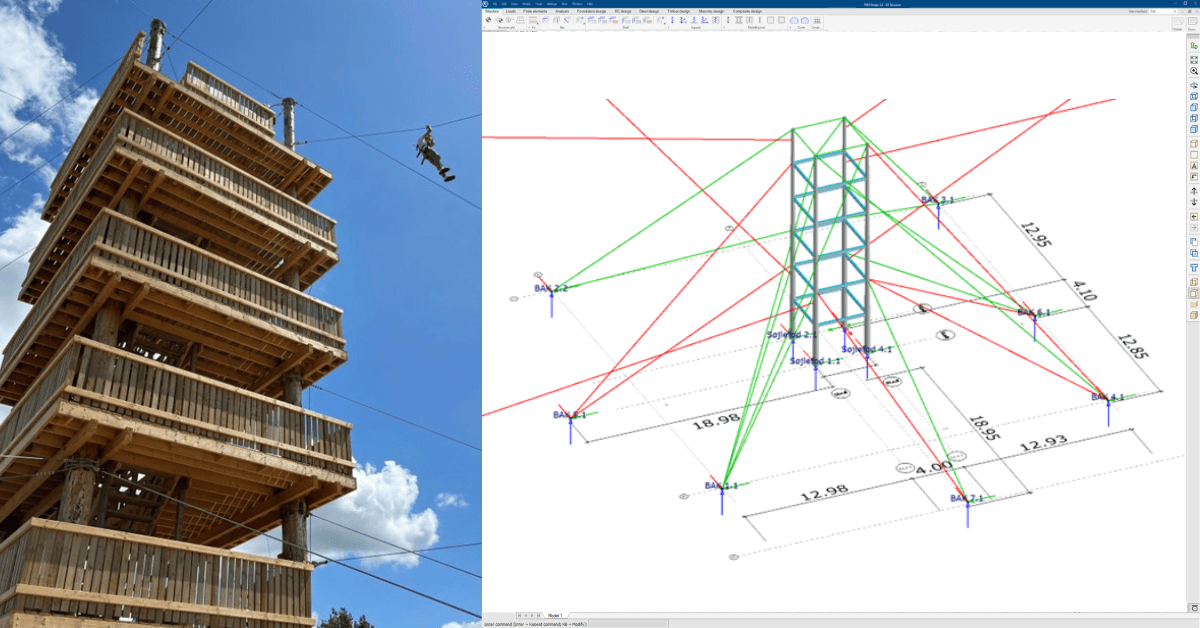
Fyns Sommerland is an amusement park in Aarup, Denmark, featuring a 17-zip line complex. The current owners contracted the engineering firm J&P to provide the engineering calculations, drawings, and necessary permits. J&P used FEM-Design, our main structural calculation software, for this project. […]

Interested in finding out more about FEM-Design? Apply for a free trial!