
Model Hollowcore Slabs in Revit—and Manage Production & Logistics all with IMPACT
Event info
Model Hollowcore Slabs in Revit – and Manage Production & Logistics all with IMPACT
A 45‑minute end‑to‑end walkthrough of modelling, detailing,
planning, and delivering hollowcore floors using one fully
integrated IMPACT workflow.
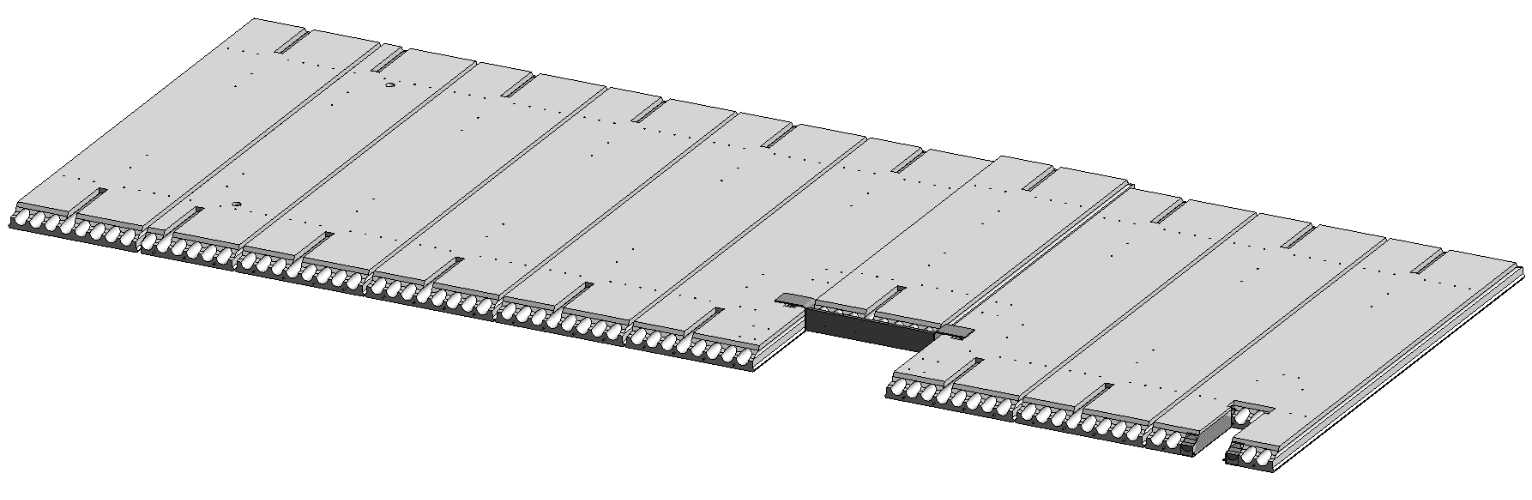
From Revit model to production‑ready documentation
Learn how to model hollowcore slabs efficiently in IMPACT for Revit
and automatically generate accurate, standardized shop drawings —
without rework or manual detailing.
See how design data flows directly into production‑ready outputs.
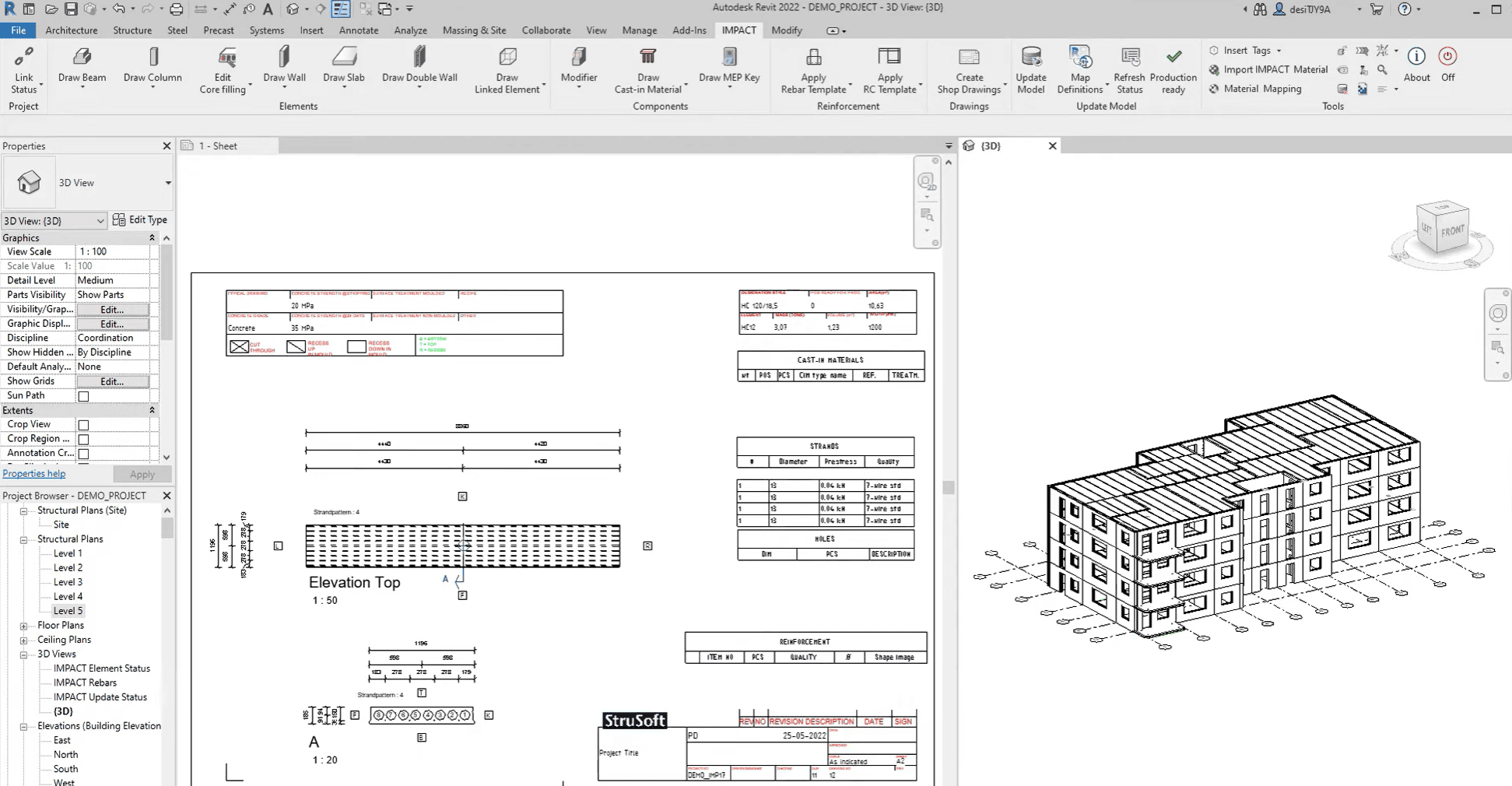
Automated hollowcore shop drawings generated directly from your Revit model
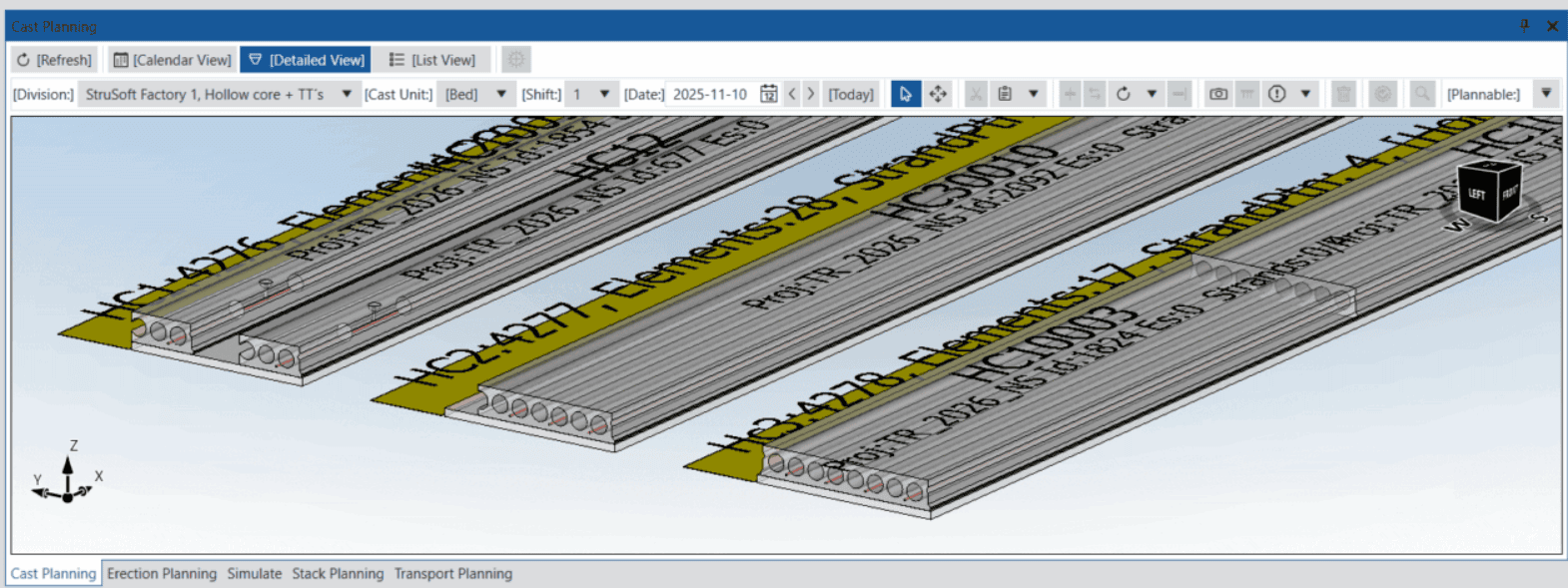
Visualize hollowcore casting and production sequencing in 3D
What you’ll learn
- Multiple methods for modelling hollowcore slabs in IMPACT for Revit
- Automated shop drawing generation and output review
- Project planning with erection sequencing and coordination
- 3D production planning for efficient factory operations
- 3D transport planning for optimized delivery and logistics
- A complete end‑to‑end IMPACT workflow
Plan production and delivery with confidence
See how IMPACT Production connects design data with factory planning,
transport, and site logistics. Plan casting, stacking, and deliveries
visually — while maintaining full control over dates and sequences.
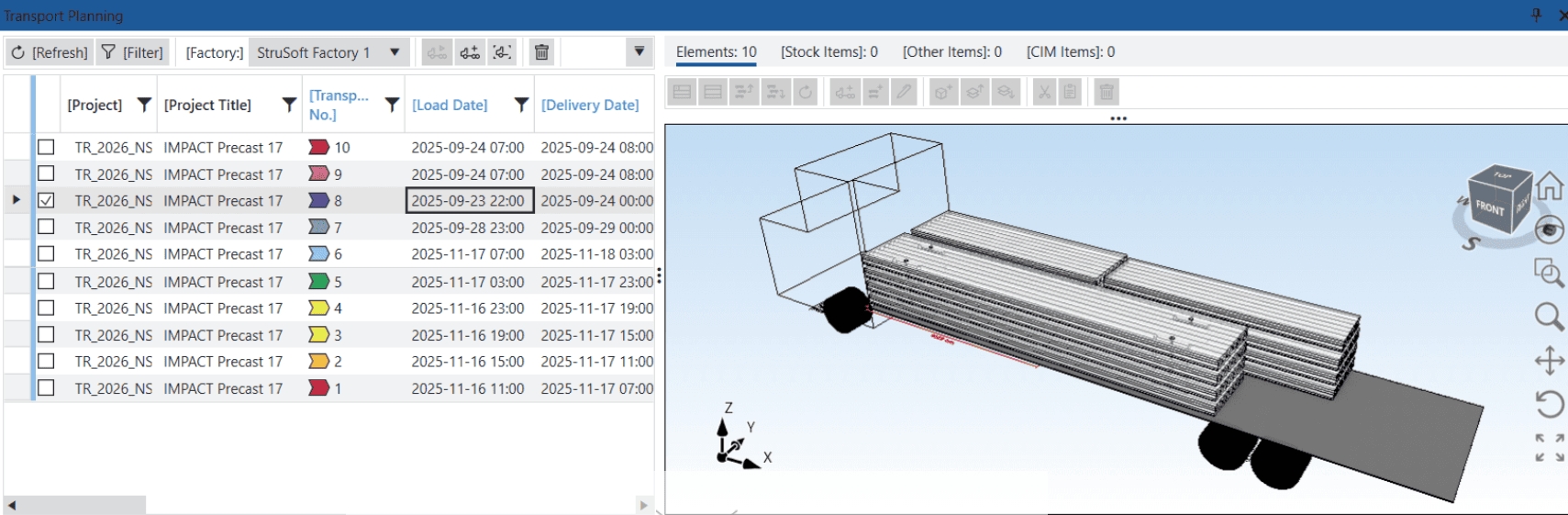
Plan, visualize, and optimize transport directly from the production model